WebWhiz transforms static Webflow sites into dynamic, interactive web applications through a simple, no-code process. By adding a unique code snippet to a site's custom settings, users can seamlessly integrate powerful CMS features like search, filtering, sorting, and favoriting. The platform automatically detects Webflow collections and allows for extensive customization of both functionality and design directly within the Webflow Designer. Once configured and published, these features operate smoothly for visitors, while site owners can monitor usage and adjust settings anytime through the WebWhiz dashboard, making it an efficient solution for enhancing website engagement and user experience.
How Webwhiz Plugin Works
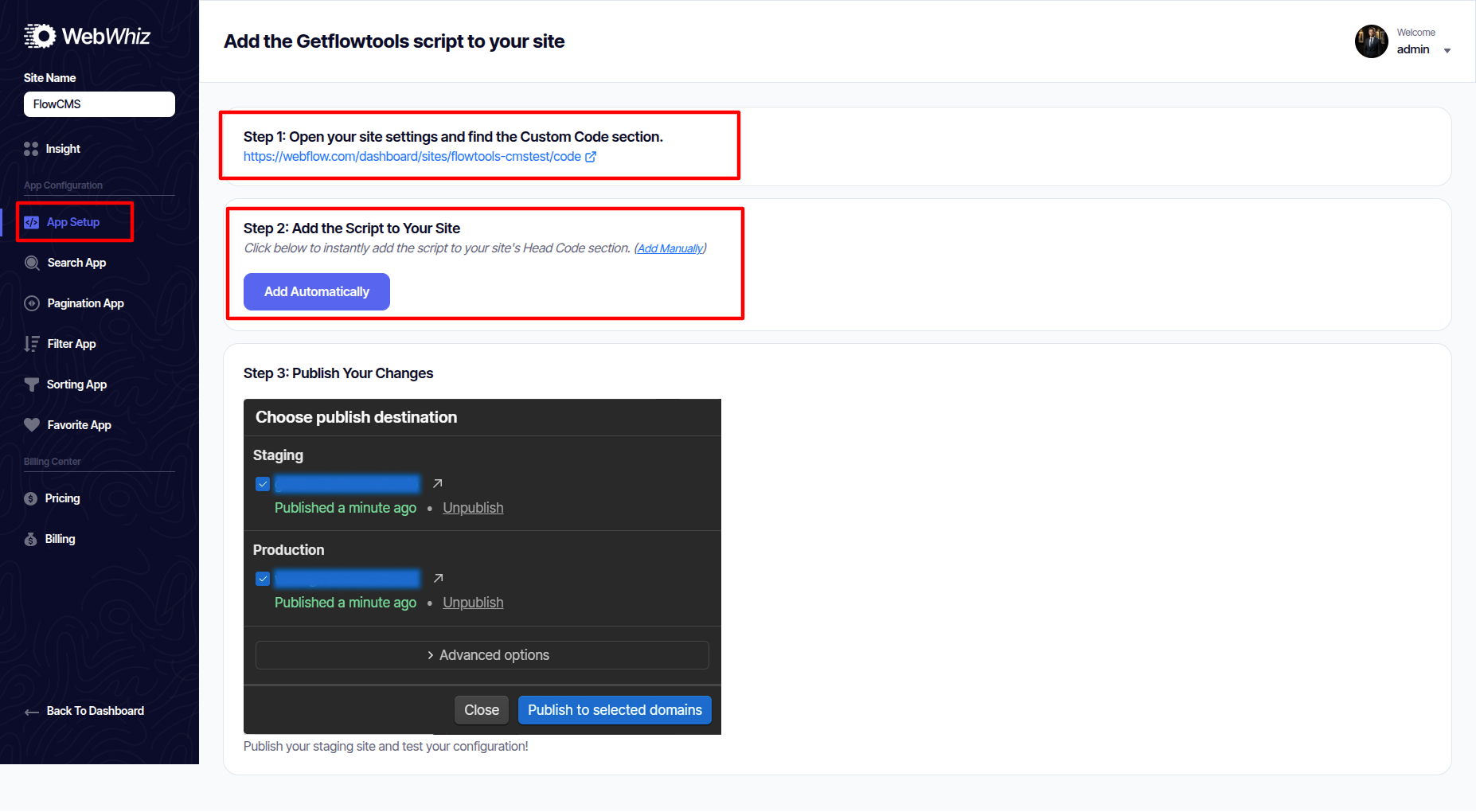
Step 1: Add WebWhiz to Your Site Create your free account on the WebWhiz website
-
Get your unique code snippet from the dashboard
-
In Webflow, go to Project Settings > Custom Code and paste the snippet
-
Publish your site to establish the connection
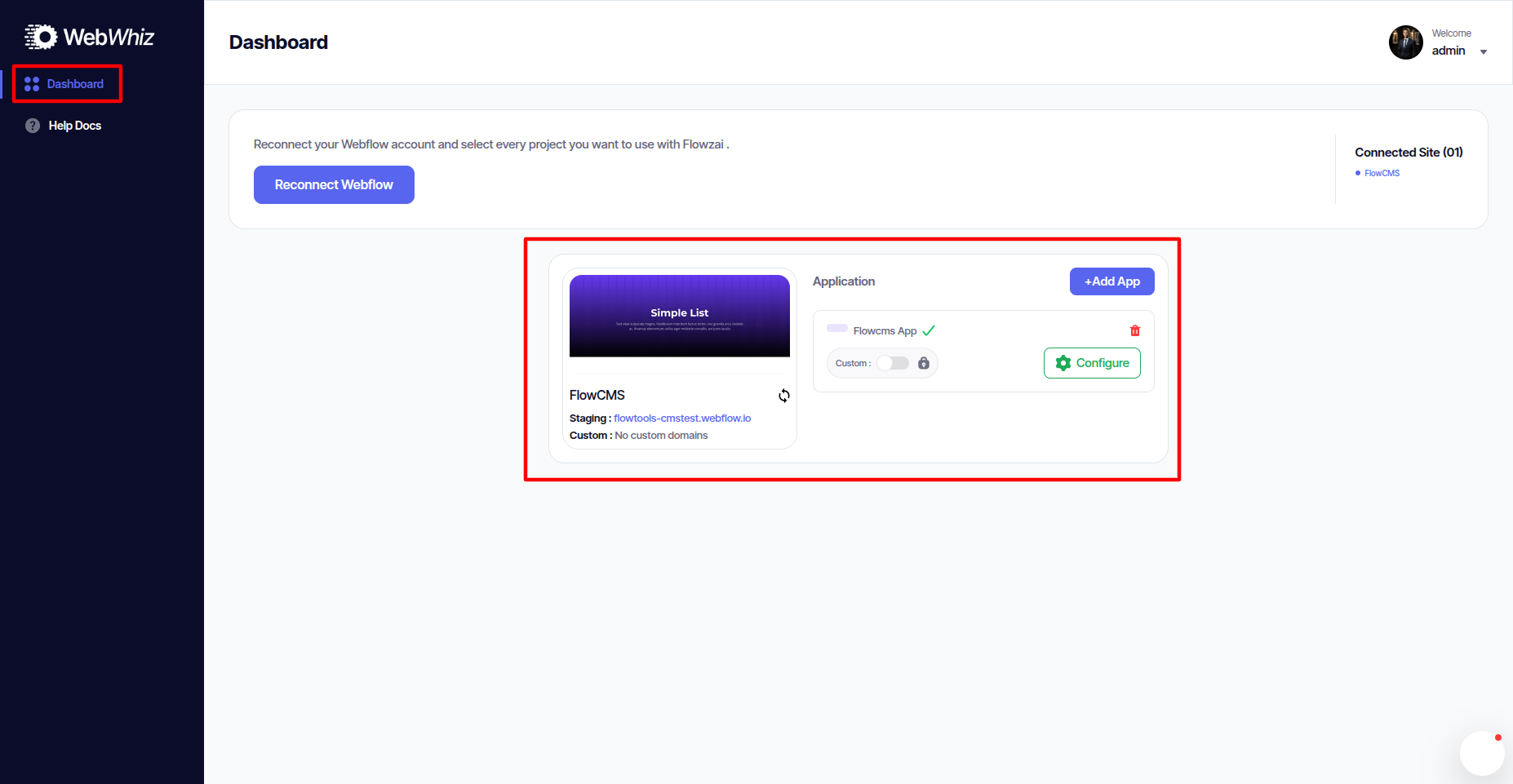
Step 2: Configure Your Favorite Items App Navigate to "App Setup" in your WebWhiz dashboard
-
Select the Favorite App from available options
-
WebWhiz will automatically detect your Webflow collections
-
Choose which collection contains items users can favorite